
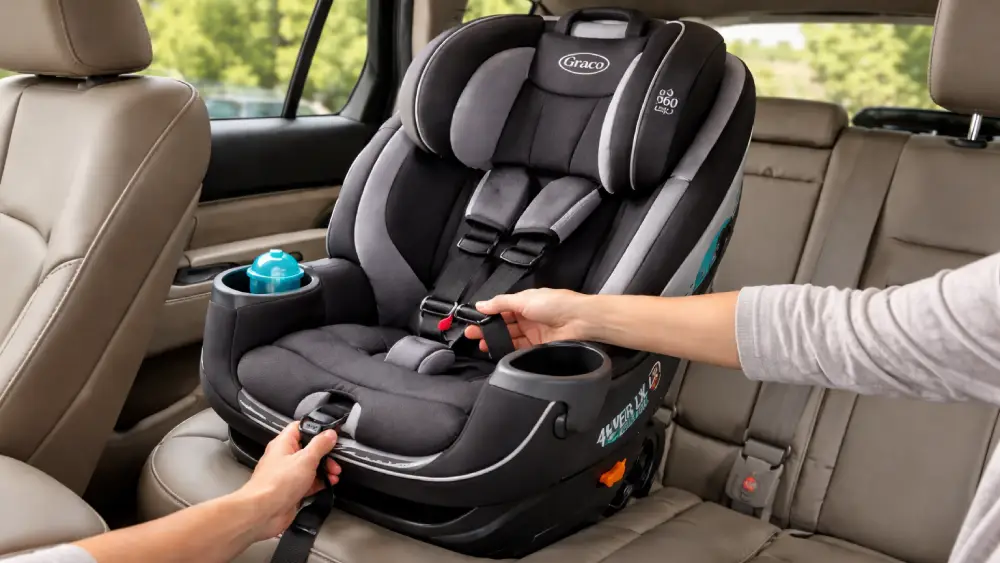
Learning how to adjust straps on Graco 360 car seat models correctly is one of the most important safety steps a parent can take. I’ve seen countless installations where the base was secure, the rotation worked beautifully, but the harness fit was off by just enough to matter. And when it comes to car seats, “almost right” isn’t good enough.
The Graco 360 line—whether it’s Turn2Me, Extend2Fit 360, or similar rotating models—makes everyday loading easier. That rotating feature is a game changer. But convenience doesn’t replace correct harness positioning. In this guide, I’ll walk you through exactly how to loosen, tighten, and adjust harness height properly, plus how to troubleshoot common strap issues. By the end, you’ll feel confident every time you buckle your child in.
Understanding the Graco 360 Harness System
Before diving into how to adjust straps on Graco 360 car seat models, it helps to understand how the harness system works.
Most Graco 360 seats use a no-rethread harness, which means adjusting the headrest automatically moves the shoulder straps up or down. This design reduces user error. It also simplifies adjustments as your child grows.
Here are the main components you’ll interact with:
- Shoulder straps – Secure your child across the shoulders
- Chest clip – Keeps straps properly positioned
- Crotch buckle – Anchors the harness at the hips
- Harness adjuster strap (front pull strap) – Tightens the harness
- Harness release button – Loosens the harness
- Headrest adjustment lever – Changes strap height
Every part plays a role. When one is misused, overall protection decreases.
Proper strap adjustment prevents excessive forward movement in a crash. It keeps the body aligned with the seat’s protective shell. And most importantly, it reduces injury risk dramatically.
When You Should Adjust the Straps
I don’t wait until straps look obviously wrong. Small growth changes matter.
You should review how to adjust straps on Graco 360 car seat setups in these situations:
- After first installation
- When switching from rear-facing to forward-facing
- After removing and reinstalling seat covers
- If straps look uneven
- After a noticeable growth spurt
- If the pinch test fails
Children grow faster than we realize. Harness height that was correct last month might not be today.
How to Loosen the Straps on a Graco 360 Car Seat
Let’s start with loosening. This is the first step every time you place your child in the seat.
Step 1: Locate the Harness Release Button
At the front of the seat, near where your child’s feet rest, you’ll find a small button hidden under a fabric flap. Press it firmly.
Don’t pull the straps yet.
Step 2: Pull the Shoulder Straps Forward
While pressing the release button, pull both shoulder straps outward evenly. You should feel them slide smoothly. If they don’t move, the button isn’t fully depressed.
Always pull both straps at the same time. Pulling only one creates uneven tension.
Step 3: Create Enough Slack
I loosen the harness generously before seating my child. This prevents wrestling and twisting.
Common mistakes I see:
- Forgetting to press the release button
- Pulling on the chest clip instead of shoulder straps
- Jerking the straps unevenly
- Forcing resistance
If it feels stuck, stop. Reset and try again.
Mastering this part of how to adjust straps on Graco 360 car seat systems makes daily buckling dramatically easier.
How to Tighten the Straps Properly
Now comes the critical part. Tightening correctly is what truly secures your child.
Step 1: Buckle Completely
- Fasten the crotch buckle until you hear a click
- Insert both chest clip tongues
- Slide chest clip down temporarily
Never tighten before buckling fully. The harness needs to be properly engaged.
Step 2: Pull the Adjuster Strap
At the front of the seat, locate the single pull strap. Pull it straight outward in smooth, steady motions.
Not up. Not at an angle.
Straight out.
I tighten gradually while guiding excess slack from the hips upward toward the shoulders. This ensures even tension distribution.
Step 3: Position the Chest Clip
Once snug, slide the chest clip to armpit level. That position keeps straps aligned over the shoulders.
Step 4: Perform the Pinch Test
This test never lies.
Try to pinch the harness webbing at your child’s shoulder. If you can pinch material between your fingers, it’s too loose.
If your fingers slide off and you can’t grasp excess webbing, the fit is correct.
Here’s a quick reference:
| Harness Check | Correct Fit |
| Pinch test | Cannot pinch excess webbing |
| Chest clip | Level with armpits |
| Strap feel | Snug, no slack at shoulders |
Parents often worry about over-tightening. A properly snug harness may leave light red marks similar to sock lines. That’s normal. Deep indentations or visible discomfort are not.
When learning how to adjust straps on Graco 360 car seat models, the pinch test becomes your best friend.
Adjusting Shoulder Strap Height (No-Rethread Harness)
One of the biggest advantages of the Graco 360 is its no-rethread system. This makes height adjustment faster and safer.
Step 1: Remove Your Child
Never attempt height adjustments with your child seated. It compromises accuracy and safety.
Step 2: Locate the Headrest Lever
Most models have a lever at the top or back of the headrest. Squeeze or lift it to unlock.
Step 3: Raise or Lower to Correct Position
This is where direction matters:
- Rear-facing: Straps should be at or slightly BELOW shoulders
- Forward-facing: Straps should be at or slightly ABOVE shoulders
That difference is critical.
Rear-facing positioning prevents upward movement during a crash. Forward-facing positioning manages forward momentum.
After adjusting, check both sides. They should be even and untwisted.
If you’re reviewing how to adjust straps on Graco 360 car seat configurations during a growth spurt, this is the step you’ll revisit most often.
Rethread Harness Adjustments (If Applicable)
Some older or specific variations may require manual rethreading.
If yours does:
- Access the back of the seat
- Locate the metal splitter plate
- Detach harness loops carefully
- Rethread through the correct height slot
- Reattach securely
Always confirm both straps are routed through the same slot level.
Improper reattachment can compromise performance. When in doubt, consult your manual.
Switching Between Rear-Facing and Forward-Facing
Rotating the seat doesn’t automatically correct harness positioning.
Whenever you switch modes:
- Recheck strap height
- Confirm recline angle
- Perform a full pinch test
- Inspect routing
I always treat a mode switch like a fresh installation. It takes two extra minutes. It’s worth it.
Understanding how to adjust straps on Graco 360 car seat models during transitions ensures protection remains optimized as your child grows.
Troubleshooting Common Strap Problems
Even when you know what to do, things can feel off.
Straps Won’t Tighten
Check for:
- Twists behind the seat pad
- Obstructions in the harness path
- Debris blocking the adjuster mechanism
- Uneven pulling
Remove pressure from the seat while tightening. Sometimes body weight restricts smooth movement.
Straps Won’t Loosen
Make sure you’re pressing the release button completely. Partial pressure won’t disengage the lock.
Pull straps forward while pressing firmly.
Uneven Strap Length
This usually traces back to the splitter plate. One side may not be seated evenly.
Inspect from the back and correct.
Twisted Harness
Twists reduce surface area contact and increase injury risk. Always straighten before tightening.
If you consistently experience resistance, remove the seat pad and inspect routing carefully.
Mastering these fixes is part of truly knowing how to adjust straps on Graco 360 car seat systems with confidence.
Practical Safety Tips I Always Follow
I keep things simple and consistent.
- Perform the pinch test every single ride
- Avoid bulky jackets under the harness
- Check harness height monthly
- Inspect webbing for fraying
- Clean straps according to manufacturer instructions only
- Never add aftermarket padding or inserts
After any moderate or severe crash, replace the seat per Graco’s guidance.
Car seat safety isn’t about guesswork. It’s about repetition and verification.
Final Thoughts
Knowing how to adjust straps on Graco 360 car seat models correctly transforms daily buckling from a rushed task into a reliable safety routine. It isn’t complicated. But it does require intention.
Loosen fully. Buckle completely. Tighten evenly. Perform the pinch test. Confirm shoulder height.
Every ride.
The Graco 360 offers exceptional convenience. When paired with proper harness adjustment, it delivers the protection it was engineered for. And once you practice these steps a few times, the entire process becomes second nature.
Safety doesn’t have to feel overwhelming. With the right knowledge—and consistent application—you’re doing exactly what your child needs.
Frequently Asked Questions
Use the pinch test—if you can’t pinch excess webbing at the shoulder, the harness is properly snug.
The chest clip should always be positioned at armpit level to keep straps aligned correctly.
Check it monthly and anytime your child has a noticeable growth spurt.
Yes, but always ensure the seat locks fully back into travel position before driving.
Make sure you’re pressing the harness release button firmly while pulling both shoulder straps forward evenly.
Yes, rear-facing straps should be at or below the shoulders, while forward-facing straps should be at or above.
No, only use accessories that came with the seat or are approved by Graco.
Twisting usually happens during hurried buckling; straighten the webbing fully before tightening.
Loosening slightly makes the next buckle easier and prevents unnecessary strain on the straps.
Always consult your Graco 360 manual for instructions specific to your exact model.